Part 1: Record The Swing
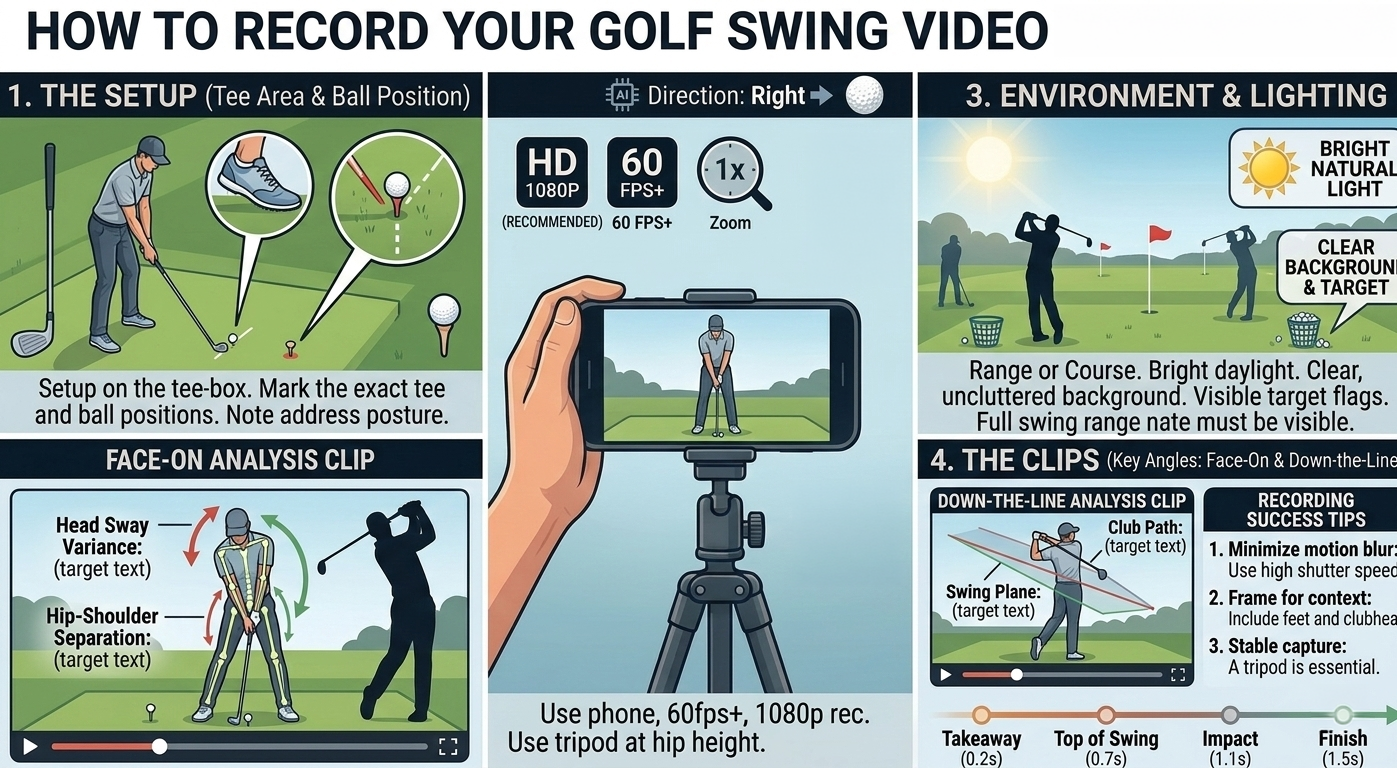
Use one clean camera view, 1080p, 60 fps+, and a tripod at about hip height so the app can detect address, top, and impact.
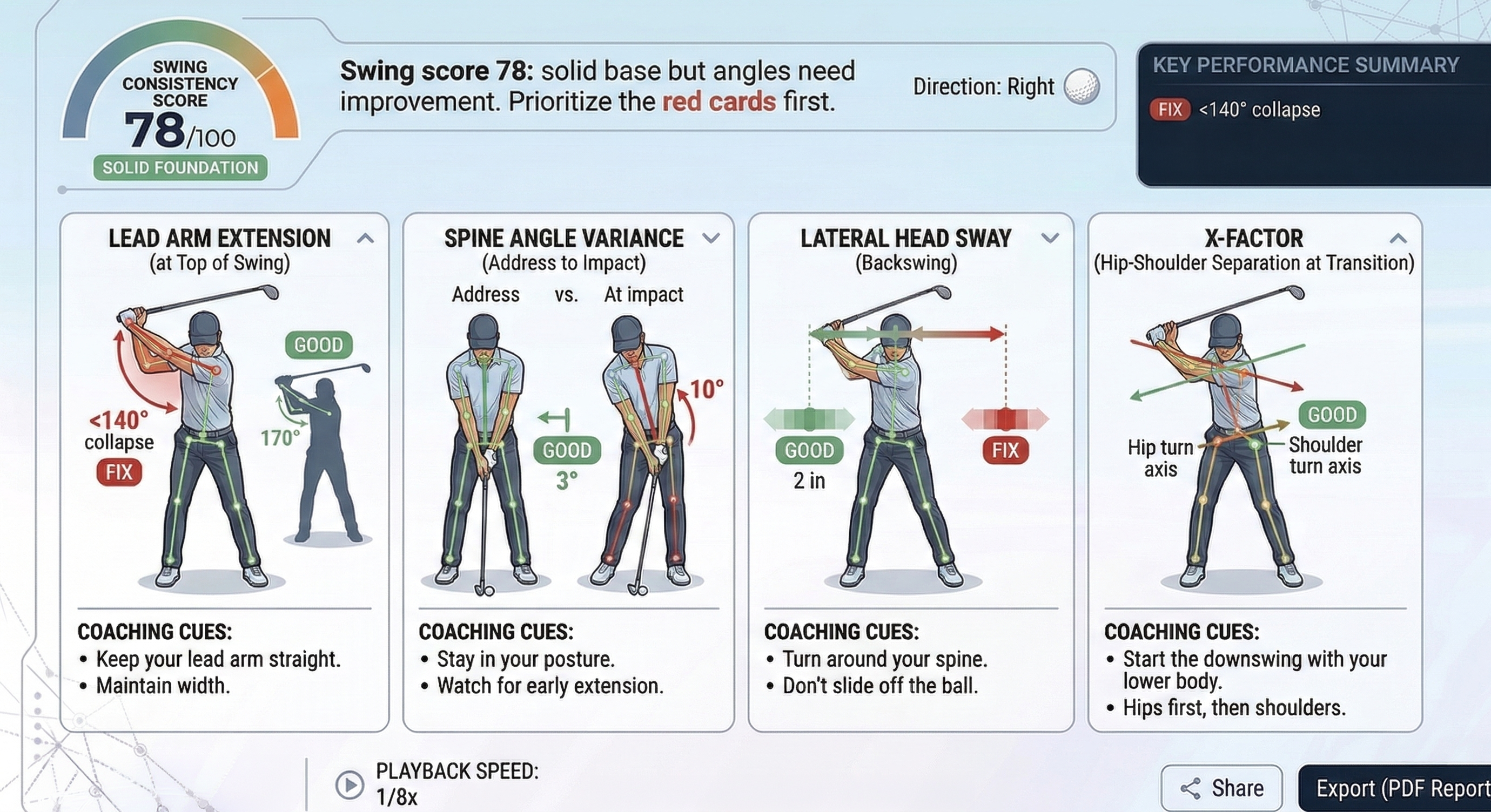
The report is phase-based. If the setup frame, transition, or impact frame is blurred, cropped, or shot from the wrong angle, the rest of the scorecard drifts with it.
- 1. Pick one approved angle: record either a strict face-on clip or a strict down-the-line clip. Do not stand halfway between the two.
- 2. Keep the camera simple: use 1080p, 60 fps or higher, 1x zoom, and a stable tripod instead of handheld video.
- 3. Frame the whole motion: keep the golfer, hands, club, and ball or tee area visible from the final quiet address position through finish.
- 4. Start early and stop late: begin before the takeaway and record through impact and follow-through so the app can time backswing and downswing duration.
- 5. Use bright, clean conditions: favor daylight or strong lighting, a clear background, and a visible target line so the body and club stand out.
After upload, set both Golfer Handedness and Camera View correctly in the app. Those two selections affect overlays, card labels, and how the swing is interpreted.