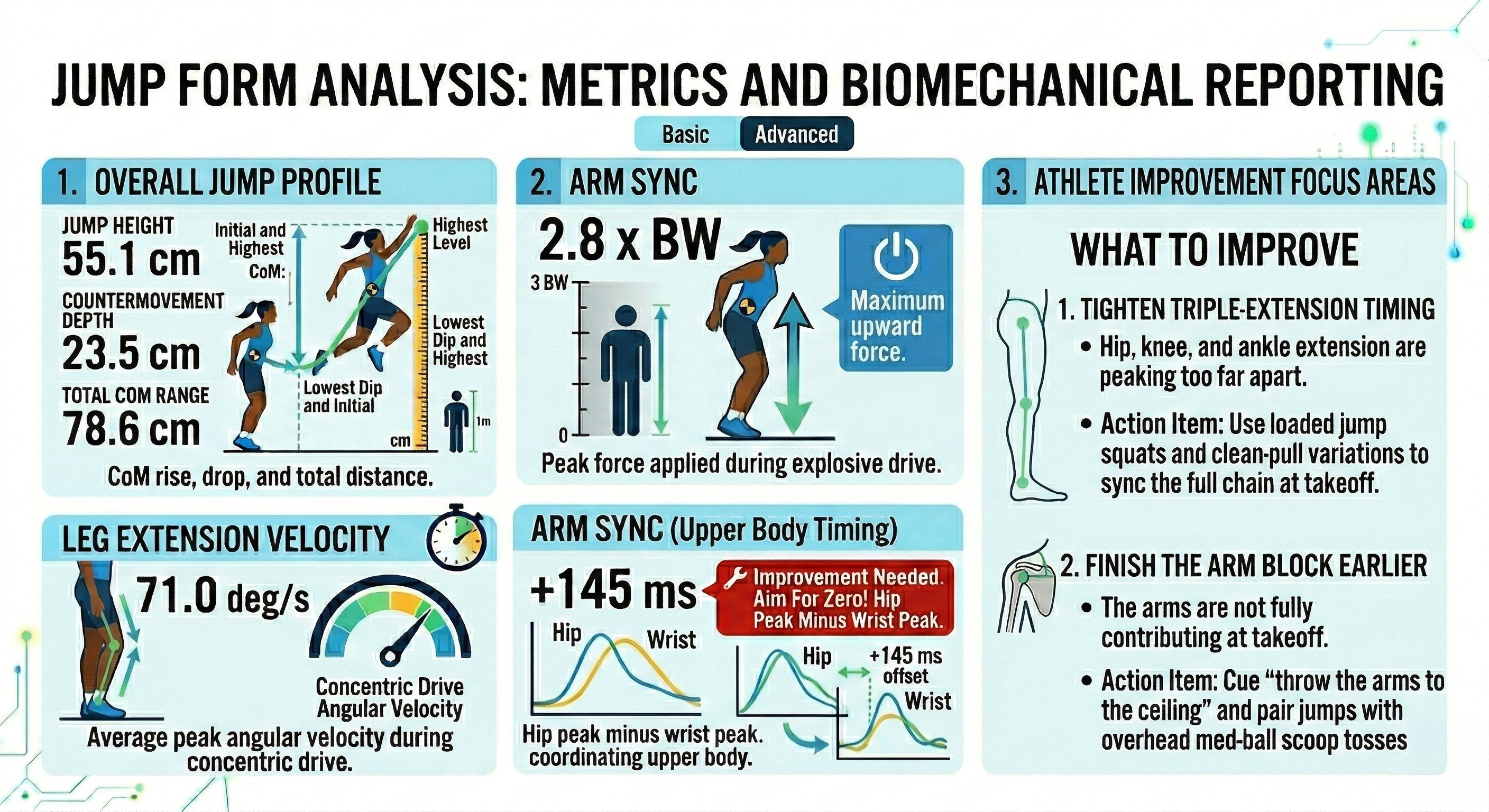
Jump Height
33.1 cm
Center-of-mass rise from the initial standing level to the highest point. This is the headline output for explosive vertical performance.
Countermovement Depth
17.7 cm
How far the center of mass drops before the upward reversal. Too shallow can limit force production, while too deep can slow the jump.
Current Phase
Landing
The phase label for the current frame. It helps the athlete understand whether the cursor or frame is in the dip, drive, takeoff, flight, or landing window.
Total CoM Range
50.8 cm
Total center-of-mass travel from the lowest dip to the highest point. This shows the full loading and release range used during the jump.
Amortization
11 ms
Time spent transitioning near the bottom of the countermovement. Shorter transitions usually indicate a more elastic reversal between loading and takeoff.
Triple-Extension Sync
+378 ms
Spread between peak hip, knee, and ankle extension timing. The closer this is to zero, the more coordinated the lower-body power chain is at takeoff.
Extension Velocity
39.1 deg/s
Average peak angular velocity during the concentric drive. This helps quantify how quickly the athlete is extending through the push-off.
Arm Swing Velocity
9.3 m/s
Peak upward wrist speed during the jump drive. Faster, well-timed arms can add momentum and improve takeoff contribution.
Arm Sync
+111 ms
Hip peak minus wrist peak. Near zero is the target because the upper body should reinforce the same instant the lower body peaks.
Arm Block
173°
Shoulder flexion angle at takeoff. This shows whether the athlete finished the arm drive or left upward force on the table.
Concentric Time
489 ms
Time from the upward reversal to takeoff. It reflects how long the athlete spends in the final force-producing phase.
Penultimate Estimate
0.3 cm
Estimated load-in distance into the plant. For approach jumps, this helps show whether the athlete is creating an effective final setup into takeoff.
CoM Drop
1.5 cm
How much the center of mass lowers during the final approach load. This captures whether the athlete is using enough controlled descent before exploding upward.
Bottom Position Angles
Hip 159° | Knee 162°
Hip and knee flexion at the bottom of the dip. These angles show how the athlete organizes the loading position before reversing into the jump.