Part 1: How To Record The Block Start
Good recording is mandatory. Poor angles give poor numbers.
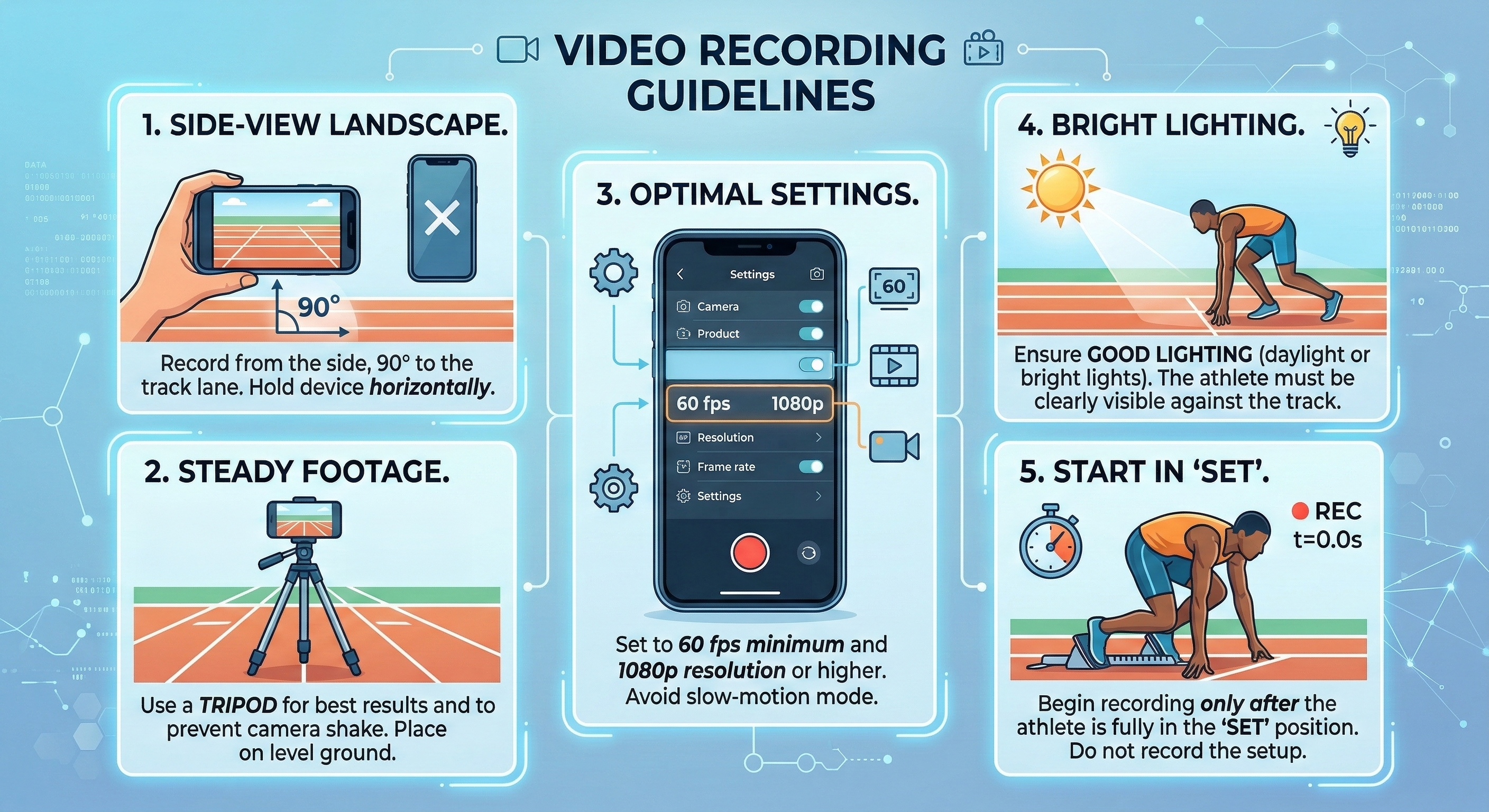
Use the checklist in the graphic and follow these five steps every session:
- 1. Side-view, landscape: hold the phone horizontally and place it at 90 degrees to the lane. Keep the athlete head-to-toe in frame.
- 2. Steady footage: use a tripod on stable ground. Handheld footage introduces shake and corrupts angle tracking.
- 3. Camera settings: minimum 60 fps at 1080p. Higher frame rates help, but do not sacrifice clarity and lighting. The app analyzes every frame of the video. Slow motion saved as a normal-speed video also works: pick the frame rate you recorded at in the app so the times and speeds come out right.
- 4. Bright lighting: daylight is best. Indoors can work if the athlete is clearly separated from the background.
- 5. Start in set: begin recording only once the athlete is motionless in set. Do not include the pre-start routine.
Keep recording conditions consistent across test days. If camera angle or lighting changes, comparison data becomes less useful.